HealthCare

  • Subscribe to our RSS feed.
  • Twitter
  • StumbleUpon
  • Reddit
  • Facebook
  • Digg
Showing posts with label computers. Show all posts

Monday, October 15, 2012

Pull Up from The Myopic Grindstone

Posted on 9:32 PM by Unknown
This a a nerd post. I'm venting. Okay, here it is the situation. I'm helping a friend install her old software to her new computer. I have my doubt about Norton Internet Security. The prior week it would not allow her to go enter certain web sites.

Couldn't see where to dial down the firewall. I looked every. I say frack it, next week I'm bringing AVG and be done with it. Backed up her system (it took a long time, old XP trooper that it was).

Finally got the stuff over. This week things are working, able to go to websites and get online mail.

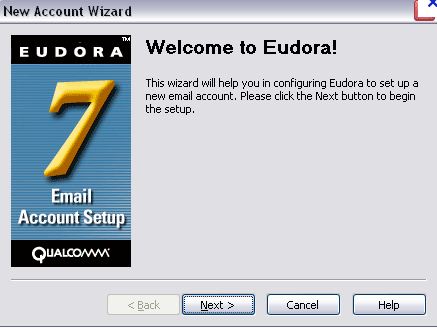
Matilda* wants to re-install Eudora. I should mention that Qualcomm stopped developing and supporting Eudora. You can get the software from the site and the help info but there has been no work done on it since.

I wanted her to go to Thunderbird. On-going development. Spam protection. Better search. She was going for it until what ever blocked everything else last week blocked both Eudora and Thunderbird.


Today, Eudora is working. Thunderbird is not. 

No, I had nothing to do with it.

So, Matilda asked if she could import her contacts in Eudora. I had exported them out as a CSV file. The programs files were also backed up.

I was of a mind to grab a hunk of the old files and overwrite the new installation. Check with a few tech sites that gave the thumbs up. Checked with a few more that said don't do that, Windows 7 is less forgiving about allowing files to overwrite an existing installation.

If it isn't coming from a manufacture installation Windows 7 isn't that tolerant of being goosed.

Ok. Plan B - look for a CSV to LDIF converter.

There are some. Shareware for $49. Not doing that. There are some free ones, if you know a programing language or two.

There was one that might have worked, was free and gave it all. But Windows 7 is 64Bit OS and the software was old school 32Bit.

I even tried to download that 13 year old version Netscape Communicator because I think it had multiple export options. Not happening on Windows 7.


Ok Plan C - look for a PST to LDIF converter.

PST is the old Outlook mail file format. Eudora can read that file. If I could find a CSV to PST converter that might work.  My search ended. Nada.

What Is True Here?

I need to convert the CVS file to LDIF in order for Eudora to import it. Could Thunderbird do it? I know it can import CVS. Can it export LDIF?


Why yes. Yes it can.

I cleaned up the CSV file in Excel and then imported it. Three frigging minutes later I had that pesky file. Two minutes later I e-mail the time sucker file to Matilda.

Victory. Of sorts.

On the one hand, I spent three hours chasing down programs that don't exist or find vendors willing to provide a solution for a good chunk of change. Not saying the software wasn't worth it. I'm saying that there isn't a true repository you can go to find out your software options.

You have to find your person or beacon of information. Not a lot of modern folks writing about converting Address Book files.

The answer was in my face. I couldn't see it for hunting down the "software" I believed existed.

Once I let go of that search the answer came to me. Being methodical is one thing. A great thing. Being pig-headed about were the answer should be is truly putting your nose to the grindstone. It will hurt sooner or later.

Pull up, breath and let it come to you.

The techies will say I should have followed a specific process for file transfers. They are right.

The safety folks will say why did you allow her to download a obsolete program? It wasn't obsolete when she first started using it seven years ago. I installed maleware and system protection. I warned her of the risks. I can do no more than that.

The Thunderbird folks will say why didn't you call her ISP and ask for help.  I'm not in front of her computer. And that is something I did suggest. Or contact Norton.

I hope this is the end of it. I know it is not. I just have to hang on to hope.


*No, that isn't her name.  I'm not that sure she know what a blog is. She does go to parent sites, some of which are blogs. It is still a web site to her.  Let's just say I don't have coupons.


Read More
Posted in computers, old tech, technology | No comments

Sunday, August 12, 2012

Be Alert for Microsoft Tech Support Call Scam

Posted on 4:29 PM by Unknown
It isn't like we don't have enough to worry about. Scammers to the left and bad hackers to the right. This is just a heads up to those people that don't know about scammers now are calling folks claiming to be from Microsoft (they are not) and offering to fix your problems for money.

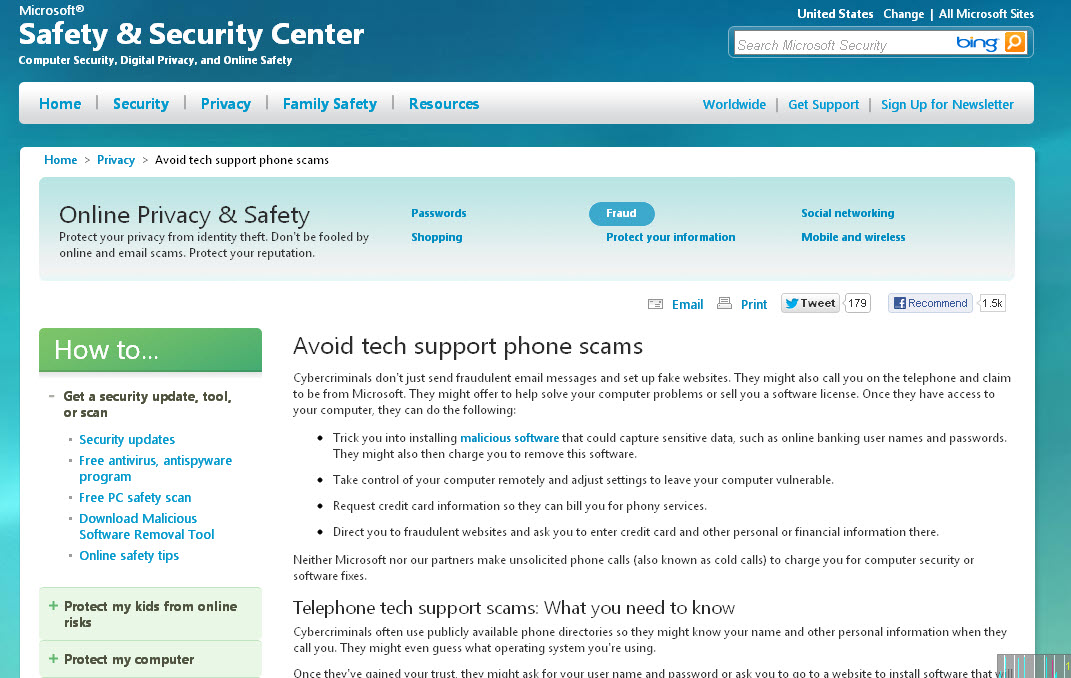
Actual Microsoft Safety and Security Center

Or a message pops up on your screen stating that you have hard drive troubles and to call this number or visit a web site. Oh please do not do that. Nope. Bad thing.  What may have happened is that maleware has been placed on your system to mimic trouble to get you to pay for a fix that could be worse than the cure.

Microsoft does not cold call for consumer support services. It is a billion to almost trillion dollar company.  They might have trouble moving Windows phones but they ain't that hard up.

The call or alternate web site is a scam. Read up on how the scammers work the unaware folks and other things that you can do to protect yourself.

I have some ideas on the topic:
  1. Install MalewareBytes and run that bad boy once a week if you are on the free version or better yet pay for it and get 24/7 protection so that nothing gets installed on your system without you knowing about it..
  2. Install CCleaner and run that as well to get rid of old Internet cache files and cookies you did not want or asked for.
  3. Make sure that you have a total protection anti-virus, spyware, maleware protection package updated on your computer. Make sure there is a good firewall included as well.
  4. Create and use one-purpose passwords for life critical web sites. This means a separate password for banking, credit cards or anything it would disrupt your life if thieves got a hold of it. 
Read More
Posted in computers, resources, survival | No comments

Tuesday, December 28, 2010

Dudes Still Don't Get It - Women Can Talk Tech

Posted on 4:50 PM by Unknown
It continues to happen and short of wearing microchip pasties I don't know how much more we can do to help the fellas get a clue. Brick and mortar retail stores are still dissing women walking in to buy products and services. How stupid is that?

Answer, very. Beloved menfolk, we don't hate you; we hate the attitude that you assume all women do not know anything technical.

  • Yes, I can bake a cake. So can some men.
  • Yes, I can install my terabyte drive without help. So can some men.
  • Yes, I do know the difference between a Dual Core and Core Eight and really don't like it when you try to make me pay more for obsolete hardware.
  • No, I will not walk into your retail store to buy a computer because you ignore me unless I have a guy standing next to me. Even if I didn't know the difference between a Pentium and an i5 laptop does not mean you should not offer sales assistance to women.
I value my time and money so I shop on-line where my gender is not that important to the vendor. I've never been to the Consumer Electronics Show known as CES.


I'd like to go but the budget and time does not permit it. These are people who work and write for CNet. This is a pre-show about the possible stuff that will be presented like Smartphones, cars and aps. Not necessarily iPhone/iPad aps.

I want to hear about the Android Tablets. And e-Readers and hopefully tune in to some skivvy about the potential to convert an e-reader into a tablet or maybe some manufacturer will get a clue that there is a chunk of the population that would really gronk a quality under $200 tablet. Not a crappy one, a good one.

For those fellas in brick and mortar retail I don't want to tax you any more than is needed. A stretch a day is good.

Just sit back and listen. Get use to women talking about electronic goods and services. This is a basic general discussion but get use to the vocabulary and the fact that women are using these words.

It could profit you in the long term. Or not. The choice is yours.

P.S. I also would like to go to Photokina in Germany, SXSW and a bunch more and there are others just like me. Some women do shoes, some buy tech.

Respect us either way.
Read More
Posted in computers, technology, women | No comments

Friday, November 19, 2010

Being 52 - Software Blues

Posted on 6:21 PM by Unknown
I'm a day late but just under a dollar short. I came home last night and I tried, I really tried to post something. My body was not having any part in it. I woke up around 3 a.m. to write about image sensors.

I really want to write about digital image sensors and I needed time to think and write. So that is what I did. Then went to work, did a few chores and then attempted to catch up.


I'll have you know the body will protest if you try to stay up more than 20 hours. Gone are the days when I could stay up to watch the Late Show, the Late, Late Show and the Late, Late, Late Show.

I'd sleep for two hours, go to school and then do it again the next night. Wouldn't break a sweat.

Being 52 you'd think I'd understand time and spacial relationships. I needed space in my bed and I tried to press past my allotted time.

Silly rabbit.

This is my day 18 video for National Videoblogging Posting Month aka Vlomo10.
Read More
Posted in computers, gadgets, videoblogging, VloMo | No comments

Thursday, September 23, 2010

Statistically Speaking I'm Amazed

Posted on 4:06 PM by Unknown
I got sprung from the Salt Mine earlier than expected today so I actually can spend time doing what I want to do. I was looking at my Blogger Dashboard and I noticed the new to me blog statistics feature.

Stat Map
I'm happy if one person gets value or enjoyment from my blog posts. I have a lot of things I'm interested in. I was curious what folks read or glance through. The stats have been active since May 2010, but I think they just slapped them on everyone's Blogger Dashboard in August.

To the fine folks of Australia, Luxembourg, India, Brazil, Russia, Netherlands, Canada, Germany and the UK, I thank you for reading and checking stuff out. Drop a comment when you can and use your native language if English is giving you a pain.

So long as I can get to Babelfish or Google Translate I'm good to go.

Now as to what some of my mighty fine readers are perusing.

The Top Five Are:

5. The $99 NetBook
4. Nikki Giovanni Talks About Choices
3. The Confederate Flag, The Push Me Pull You of Culture
2. More Than Words - The Nelson Brothers (Again, I'm sorry fellas for linking you to that song.)
1. The Gift of Self-Pleasure the IFM site (My post is ok but that place is so NSFW)

Technology, Creativity, History, Entertainment and Sexuality. Something for everyone, I guess. Again this is just the stats from May to now. The poetry videos are popular on the separate page at the top of the blog. I guess they are easier to find that way.

I don't plan on changing what I am writing about because I really am interested in all kinds of people and ideas. Depending on how the hormones kick up though, well. Let me put it this way. Middle age women are rocking but not necessarily in a chair.

This blog has always been is a small reflection of my journey of this lifetime. To be of service. To discover new things. To laugh and hopefully remind folks on the other side of the pond that we are not all crazy with fear and malice.

I'll try to keep it flowing and juice up the Ice Tea a bit out on the stoop.
Read More
Posted in computers, creativity, culture, financial, poetry, sex, technology | No comments

Sunday, September 5, 2010

The $99 Netbook, Frugality and Technology Don't Always Mix

Posted on 4:53 PM by Unknown
The circular felt onto my desk, my eyes paused in disbelief. $99 for a Netbook? At CVS? I went into a logic loop.

No, yes, impossible, really? I went to the CVS web site but they had bupkis, that is more like the CVS I know. Separation of drugs from any knowledge of what is in the retail store.

Sylvania Netbook
It took a bit but I tracked the sucker down. The Sylvania Netbook is for real. The retail price is $99 plus sales tax plus the CA e-Waste fee if you live in California.

Now before you rush out to buy this netbook we need to talk. This is going to make about as much sense as trying to convince a bored teenager not to swig on a can of Colt45 but I have to make the effort.

The Very Short Version


This is an underpowered computer. It is designed for using on-line applications like Google Apps, Zoho Apps, Facebook, YouTube or Twitter. It is strictly for connecting to the Internet away from home.

It is an limited function device. Unless you have a Wi-Fi connection at home you will not be able to use this computer to connect to the Internet unless you purchase additional devices and/or subscription service.

You can rack up another $250 to $400 trying to make it work but I think there are better uses for your cash.

Quick Specifications:
  • It is not a powerful CPU. It is a chugita chugita Via 8805 CPU.
  • Windows CE - I don't know where to begin on this one. Let's say that this variation of Windows was designed for low powered devices.
  • 128MB internal memory. I ain't seen internal memory that small since the PC-AT class computers of the early 1990s. It can only handle really limited tasks. I stand corrected. Task.
  • 2GB of internal storage. Saving early versions of MS Word or Open Office docs, yes it is possible. Downloading all of your 5 megapixel photos from your camera, I don't think so.
  • You can purchase an 8GB SDHC memory card for additional storage but you will pay more for it at CVC and similar drug stores. They tend to really mark up stuff like memory cards. If you need it you'll pay 2x more for the SD card unless it is a blowout kind of deal.
  • You have to have either a viable Wi-Fi connection or be willing to purchase additional devices, for example, Virgin Mobile sells Broadband2Go. You purchase the device and the service plan.

When Need Overrules Practicality


My friends that are Frugalistas are waving their hands in the air. They want it known that they can't buy a used notebook because they don't know how to tell a good one from a bad one. Sure they understand that this netbook only connects to the Internet at local Wi-Fi hot spots.

The Frugalistas just want to keep up the the TwitFaceTube generation. And to help find employment, connect with family and stay information viable at under $150.

I know. Seriously. Those of you having to go to the friends house got old years ago. You are tired of the bum rush to get a computer at the library. You need it for school and you can just about scrape up $150.

I am sympathetic. I know what it is like to need a computer and can almost buy it without going broke.

College Students


If you are a college student that needs an Internet computer and your campus does have Wi-Fi or you can get to a public library then yes, go for it because you need to have something to help you stay competitive with other students.

The keyboard is cramped. You will be sorry but you will be connected.

Members of the Fiscally Challenged Club - Working Adult Division


I can't recommend this computer. It would be so much better to save your money and purchase a new notebook or a decent used notebook computer.

You are not going to be able to install modern software. I keep typing this but you have to understand; you could spend almost $250 to get what you need to make this Wi-Fi capable in your home. $99 Netbook + $250 Wi-Fi = $349.

That is not frugal. That is stupid. Frugalistas are not stupid.

Folks on the Go or Conventioneers


I suppose it is a cheap way to have a function computer without worrying that you could lose everything. For use at the airport, hotel room or as a passenger in a car, maybe.

I still think you are gonna get the shank due to its lack of functionality and the size of the keyboard. If you can also use it like an e-book reader then, sigh, perhaps.

Well, I've said my piece. The choice is yours.

Oh, one more thing. Don't go looking for tech help in same place that sells suppositories.
Read More
Posted in computers, frustrations, gadgets, literacy, technology, women | No comments

Sunday, April 11, 2010

Videoblogging Day 1 - 2010 Lemonade Thoughts

Posted on 12:50 PM by Unknown
I am so running late on things. It looks like it is going to rain, I'm still futzing with not one but two video editing programs and really this isn't how I imagined this day.

Things are still going wrong but I have to leave otherwise more things will go wrong. Like the viewing size of this video.


But it is finished. The goal of day one has been completed.

Where are my shoes? The 8GB card? The padded pouch?

It was supposed to be ... different. Organized. Things going according to plan. The one in my head. This is why I was listing to a podcast about Getting Things Done and poo-pooing the whole thing.

Just have to limit the things to do, right?

No. I guess not.
Read More
Posted in camcorders, computers, frustrations, videoblogging | No comments

Saturday, April 3, 2010

Watching the Hype - No Tablet Today

Posted on 1:03 PM by Unknown
I feel like the sadder but wiser gal. I see the gleam in the eyes of people that want to buy the new shiny toy. The reasons that become needs. The new Apple Table is like a siren song. I have my ears blocked for the moment.

I understand. Once you get bit by equipment lust it is hard to fight the infection. I have bought enough computers and peripherals to know the yearning that becomes consumption. If I'm spending cash money I need to know it is a good investment or I will derive such pleasure that it doesn't matter.

It is a conscious choice. It took me 18 months to decide on a netbook. I'm happy with what I have. Currently I have the Ubuntu operating system on the netbook. I'm about to swap that out to try Linux Mint.

And that is why I have a problem with the Apple Tablet. I would be totally locked into the Apple operating system. I can't experiment or branch out.

Now I love and seriously jonesing for some of the applications for the iPod/iPhone/Tablet. Especially the photographic and video editing options coming down the road. I have iTunes and use it.


I'm not an Apple hater. It is just that I require more than hardware. It is the software that enables creativity, not just passivity. Dan from CNet makes a really good case about how the Apple Tablet is not a computer. It is an enhanced media device that will serve in specific situations.

Just like desktops didn't disappear when notebook computers arrived and just like they are still here after netbooks. It is making room for another bit of kit.

It sure is pretty. Yep. No question.

I'll wait for the technology and the device to mature. I will not pay money to be a Beta tester.

Not now, not ever.
Read More
Posted in computers, Linux, technology | No comments

Monday, May 25, 2009

Learning 2.0 Applied by Real Teachers Who Blog

Posted on 2:29 PM by Unknown

There are time when I have my head in my hands waiting for the Muse on Duty to show up and give me a hint. I search but nothing is sticking. Finally the Muse shows up. “Where have you been; I’m on deadline you know?” The Muse said, “Not my problem. I’ve got more important things to do than to wade through that muck you call memory.”

“There is no reason to be nasty. All I’m asking for is a little help. Aren’t you supposed to be a bit more nurturing?

“I’m no angel, I’m a Muse. Come on, times a ticking what do you need?

“What cha’ got on the education beat?”

“Nothing.”

“What do you mean nothing? Stuff is jumping all over the joint. You have people desperate for education and other who couldn’t care less. You have a technological revolution in tools that can aid in self-directed learning. You have young folks that are starting to think being stupid is a badge of honor. Get real time, what do you mean nothing?”

The Muse is sucking up on a Strawberry Sangria smoothie. “Oh, all right! Why don’t you look at how learning is being adapted by actual teachers or bloggers that teach or something like that.”

“You couldn’t tell me this Sunday?”

“Ingrate. I’m out of here.” (We have actually improved our relationship but there are times when she is “challenging”. I blame the Sangria.)

It Is Elementary

Kathy Cassidy of Mrs. Cassidy’s Class Blog is using her class blog as one of the tools she uses to help educate her first grade class, inform parents about activities and connect the students around the world. I’m not exaggerating on that one. Though the use of Skype, video and other tools she has her Canadian students communicating with students in Alabama, Louisiana and Australia.  Kathy also has a wiki to demonstrate resources for students age 5 to 8 years of age. This might be of interest to home schooling parents looking for ideas or even traditional teachers looking to spice it up just a bit.

From Kathy’s wiki I discovered Mrs. Berry's Classroom Blog who make use of slides to demonstrate concepts and to show what the students have learned.

The platform that both these teachers use is called BlogMeister where a teacher can set up a blog and is the administrator for the class. Young students can have a blog through the teacher who can monitor for content. To add this to their daily works load is very commendable. I hope they have the support of the parents and the school administration to help them in their efforts.

Junior High on the Sly

There is no one way to use a blog for education. At Crews Lake Middle School it is used to remind students what they did in class and what the homework assignment is for the next day. This is putting a serious crimp in “I forgot my homework.”  The students are working on integrated learning skills. Fear not, there are slackers in every class. One kid thought he/she could mooch by with a three word/four slide PowerPoint presentation. 

The battle for spelling, grammar and writing a complete thought continues but on new platforms. Teaching the Outsiders has a post about what middle school students need.  An older blog that hasn’t been updated Hannah's Monarchs had students writing about social studies topics.

Sometimes a teacher needs to talk about the actual process of just what happens between teaching, needing to adhere to testing requirements and administrative diversions. A good example of this found at On the Shoulders of Giants by Ariel Sacks. Ariel lays it out their about the reality of teaching in New York and being able to afford it. 

One post I found really interesting is the one about the Digital Divide in her classroom. Not just that some of her students don’t have access to the Internet but there are electronic and software blocks placed in school so that Internet access is restricted or crippled. 

We signed out the LCD projector and a laptop at school ready to demonstrate the site, only to realize, duh, the site is not accessible through school internet!  For the next day, we took still shots of the site at home and showed them to students the next day, and passed out detailed instructions for them to sign up and access the site. 

The kids were very excited about this, but only some of them have been able to access the site at home. Some have internet access, but needed help going through the steps of signing up, which of course, I can't help them with at school.  I have helped some students by phone.

I wasn’t kidding about support from the administration and infrastructure.

12 O’Clock High School For Teachers and Parents

As students become teenagers the challenges increase.  Students may have multiple means of contact such as mobile phones, blogs, Second Life and, dare I say it, SMS or Twitter. They have created social networks that provide the information they deem important. Convincing them of what you need to teach them is equally important might be a little rough. In addition, Parents can be techno-oblivious and that is not a good thing with a tech-savvy teen in the house.

Classroom 2.0 is a network of teachers trying to figure this out.  Lorna Costantini is asking questions about Teaching Parents How To Use Web 2.0 tools. Marielle wants to know the best way to incorporate writing skills using technology. Marielle’s other blog Authorship 2.0 looks a little bit closer at how students are really using the technology and that educators (and the rest of us) need to engage in the process.

Over at Fireside Learning Conversations about Education, Jane Jessep wants to know how do you make online learning more dynamic. Susan Sedro at Adventures in Educational Blogging is actively using the current technology tools and writing about the results.

Which puts me right back where I started. So much to write about and not knowing where to start. Again.  Oh, my head. I’m going to make a Strawberry smoothie w/o Sangria and begin again. I don’t want to have to deal with that dame again next week.

This post originally appeared on  BlogHer where I am a Contributing Editor.

Read More
Posted in computers, education, gadgets, thinking | No comments
Older Posts Home
Subscribe to: Posts (Atom)

Popular Posts

  • The Places and Spaces In My Photos
    I have been taking photos since I was thirteen. Sometimes it is a snap shot. I try to make quality prints. No, that isn't true. I try to...
  • Memories Eating Below the Line
    This past week there has been various folks participating in a campaign called Live Below the Line to bring awareness to living on $1.50 a ...
  • Do Not Yell If You Are Losing Your Voice
    I going on a four day head cold that has resulted in a strong desire for sleep and a very raspy voice. I am now talking in a whisper. During...
  • Public Health Movie From 1944 - Learning From The Past
    This was a public health movie about encoraging soldiers to get treatment for venereal diseases. This was something you did not say out loud...
  • Poetry In Plain Sight - Rosalee Thompson
    This is Rosalee Thompson reading her poem, "Everyone Gets Everything". Don Kingfisher Campbell has a poetry blog (who am I kidding...
  • In Memory of Miss Koko Taylor on the Finally Friday Freakout
    Koko Taylor sang about life, stories and adventure though the Blues. She carried forward a long tradition of telling the tales via music. He...
  • In Memory of Mr. Gil Scott-Heron
    I'm tired. I'm tired of the willful ignorance that is romping around as political discussions. On this day one of the great men of p...
  • Video Geek Lab - Core Skills Video Resources
    I gave a short presentation at BlogHer09 about the resources available to help folks create videos. This will be a series of virtual handout...
  • Past as It Plays Itself Foward In Time
    It wasn't like this. It was gritty. Dirty. There was a smell, sometimes. There was people selling vegetables in boxes on sidewalks or in...
  • Kathleen Sebelius on Preventative Health Care Services - BlogHer 2013
    Health and Human Services Secretary Kathleen Sebelius spoke at the BlogHer 2013 HealthMinder Day Keynote session. In this clip, Ms. Sebelius...

Categories

  • aging (40)
  • animation (2)
  • art (21)
  • artists (24)
  • aware (21)
  • BlogHer (7)
  • BlogHer09 (7)
  • books (14)
  • buying (5)
  • camcorders (3)
  • changes (27)
  • choice (12)
  • citizenship (23)
  • comedy (7)
  • comics (2)
  • community (100)
  • computers (9)
  • copyright (1)
  • creativity (102)
  • culture (91)
  • dancing (30)
  • death (9)
  • domestic violence (3)
  • Doo Dah (1)
  • education (44)
  • edupunk (2)
  • election (2)
  • environment (13)
  • ethics (3)
  • faith (19)
  • financial (7)
  • food (26)
  • free events (12)
  • freedom (29)
  • frustrations (60)
  • FTS (3)
  • fuel (1)
  • funk (7)
  • gadgets (12)
  • games (1)
  • green (5)
  • health (40)
  • history (42)
  • humor (17)
  • information (35)
  • inventors (3)
  • journalism (7)
  • language (14)
  • Linux (1)
  • literacy (15)
  • los angeles (6)
  • marriage (2)
  • mass transit (3)
  • math (2)
  • media (11)
  • memories (36)
  • Metro (3)
  • midlife (38)
  • movies (14)
  • music (97)
  • music. (6)
  • networking (4)
  • old tech (3)
  • parents (1)
  • parody (5)
  • Pasadena (9)
  • pcampLA (5)
  • peace (10)
  • performance (25)
  • persuasion (5)
  • persuation (19)
  • photography (3)
  • poetry (57)
  • politics (32)
  • presentation (9)
  • protest (8)
  • PSA (12)
  • ramble (24)
  • reading (6)
  • religion (3)
  • resources (12)
  • responsibility (17)
  • sales (2)
  • science (8)
  • sex (37)
  • spirituality (12)
  • staycation (17)
  • storytelling (27)
  • survival (26)
  • swing (1)
  • technology (26)
  • television (8)
  • thinking (30)
  • trains (1)
  • transportation (2)
  • tutorials (8)
  • veggie (1)
  • video (17)
  • videoblogging (68)
  • videobloggingweek2009 (1)
  • violence (6)
  • viral (8)
  • VloMo (36)
  • voting (3)
  • war (3)
  • water (1)
  • women (76)
  • writing (35)

Blog Archive

  • ▼  2013 (32)
    • ▼  September (2)
      • When In Doubt or Fear Take A Deep Breath
      • Just How Inclusive Do We Want To Be?
    • ►  August (4)
    • ►  July (5)
    • ►  June (2)
    • ►  May (2)
    • ►  April (3)
    • ►  March (5)
    • ►  February (6)
    • ►  January (3)
  • ►  2012 (64)
    • ►  December (3)
    • ►  November (6)
    • ►  October (6)
    • ►  September (4)
    • ►  August (9)
    • ►  July (8)
    • ►  June (7)
    • ►  May (7)
    • ►  April (3)
    • ►  March (3)
    • ►  February (4)
    • ►  January (4)
  • ►  2011 (112)
    • ►  December (7)
    • ►  November (10)
    • ►  October (7)
    • ►  September (5)
    • ►  August (7)
    • ►  July (8)
    • ►  June (11)
    • ►  May (9)
    • ►  April (11)
    • ►  March (18)
    • ►  February (9)
    • ►  January (10)
  • ►  2010 (176)
    • ►  December (10)
    • ►  November (30)
    • ►  October (15)
    • ►  September (13)
    • ►  August (12)
    • ►  July (14)
    • ►  June (11)
    • ►  May (17)
    • ►  April (14)
    • ►  March (15)
    • ►  February (15)
    • ►  January (10)
  • ►  2009 (116)
    • ►  December (11)
    • ►  November (15)
    • ►  October (14)
    • ►  September (15)
    • ►  August (13)
    • ►  July (21)
    • ►  June (15)
    • ►  May (12)
Powered by Blogger.

About Me

Unknown
View my complete profile